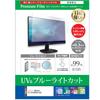
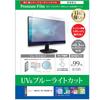
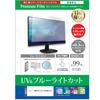
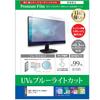
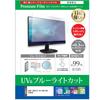
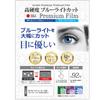
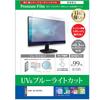
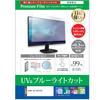
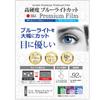
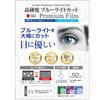
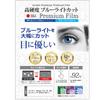
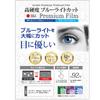
This is a compatible screen protector for the SONY BRAVIA KJ-32W730E [32-inch]. It features 9H hardness, blue light filtering, a clear, glossy finish, and is made of PET plastic, yet boasts a surface hardness (8-9H) comparable to tempered glass, making it scratch-resistant and keeping your screen looking beautiful.
Blue light reduction rate: Approximately 30% on average. Cuts blue light emitted from LCD screens.
This clear, glossy screen protector has a 92% light transmittance, displaying the LCD screen's image quality clearly and faithfully.
We use Japanese-made film.
The screen protector is designed to cover only the display area of the screen. It does not cover the entire screen of a full-flat display.
Compatible with SONY BRAVIA KJ-32W730E [32-inch]
[9H Hardness Equivalent to Tempered Glass, Blue Light Cut, Clear, Glossy LCD Screen Protector Film]
◆Features of LCD protective film
● Even though it's made of PET, it has the same surface hardness as glass, making it highly scratch-resistant.
- With a surface hardness equivalent to glass (8-9H), it is scratch-resistant and keeps the screen looking beautiful.
● Significantly reduces blue light
• Cuts blue light in the 380-495nm range.
• Blue light cut rate: Approximately 30% on average
● Beautifully reflects light, resulting in a clear screen.
• High transmittance of 92%.
- When applied to an LCD screen, it eliminates color cast, resulting in a natural appearance.
● Made with Japanese-made film.
● The adhesive surface is made of silicone and is self-adhesive. Please be careful not to let any dirt or debris adhere to the adhesive surface.
● Includes a spatula for removing air bubbles and a cleaning cloth.
◆Important points to note before purchasing
*The device itself is not included.
*The screen protector is designed to cover only the display area of the screen.
If the LCD screen is a full-flat type, the specifications do not cover the entire flat surface.
If the size is not suitable, please cut it with scissors or a cutter before use.
*Before removing the release film, check the size, peel off only a small portion of the release film, align the piece, and then apply it.
If you peel off the release film all at once and then apply it, a large number of air bubbles are likely to form.
*Dust and dirt can cause air bubbles. Please clean the screen before applying.
*Please be careful not to press too hard on the LCD screen when installing, as this may cause damage. Please attach it carefully.
*We cannot be held responsible for any damage or breakage to the equipment caused by impacts such as dropping.
![Media Cover Market Compatible Screen Protector Film for SONY BRAVIA Hardness Equivalent to Tempered Blue Light KJ-32W730E [32-inch] Model [9H Glass,](https://img.joomcdn.net/5090d1ee74850d6a2274600008e1695579d75162_original.jpeg)
![Media Cover Market Compatible Screen Protector Film for SONY BRAVIA Hardness Equivalent to Tempered Blue Light KJ-32W730E [32-inch] Model [9H Glass,](https://img.joomcdn.net/3d6d5eda92599561be771e912f5b470d4c50a4d3_original.jpeg)
![Media Cover Market Compatible Screen Protector Film for SONY BRAVIA Hardness Equivalent to Tempered Blue Light KJ-32W730E [32-inch] Model [9H Glass,](https://img.joomcdn.net/fbc2623a0ede9426ba036fbe4289e80c56dded4d_original.jpeg)
![Media Cover Market Compatible Screen Protector Film for SONY BRAVIA Hardness Equivalent to Tempered Blue Light KJ-32W730E [32-inch] Model [9H Glass,](https://img.joomcdn.net/808d6c58f6a125a562b5e7b738edd65f5f4be77e_original.jpeg)
![Media Cover Market Compatible Screen Protector Film for SONY BRAVIA Hardness Equivalent to Tempered Blue Light KJ-32W730E [32-inch] Model [9H Glass,](https://img.joomcdn.net/ee3b1ae22d5cc1a56e80ae07651f4612785f1e86_original.jpeg)
![Media Cover Market Compatible Screen Protector Film for SONY BRAVIA Hardness Equivalent to Tempered Blue Light KJ-32W730E [32-inch] Model [9H Glass,](https://img.joomcdn.net/00c3584339199c6d2409f20196725fa4db744858_original.jpeg)
![Media Cover Market Compatible Screen Protector Film for SONY BRAVIA Hardness Equivalent to Tempered Blue Light KJ-32W730E [32-inch] Model [9H Glass,](https://img.joomcdn.net/241c3395e288356d272c0f6921f5bd2791a7b7ff_682_1024.jpeg)


 Niet geleverd, dan geld terug